Vosiro scans your receipts, reads the store, date, total and items right on your iPhone, and keeps a searchable ledger of everything you buy, including warranty and return dates. No account required. Your receipts stay on your iPhone unless you choose to create an encrypted backup.
Scan it once. Find it in seconds, from the store to a single item, years later.
Scan paper receipts with the iPhone document camera, pick a photo, or choose a PDF or image from Files, such as an emailed receipt. Long receipts can be scanned in several pages and are kept as one receipt.
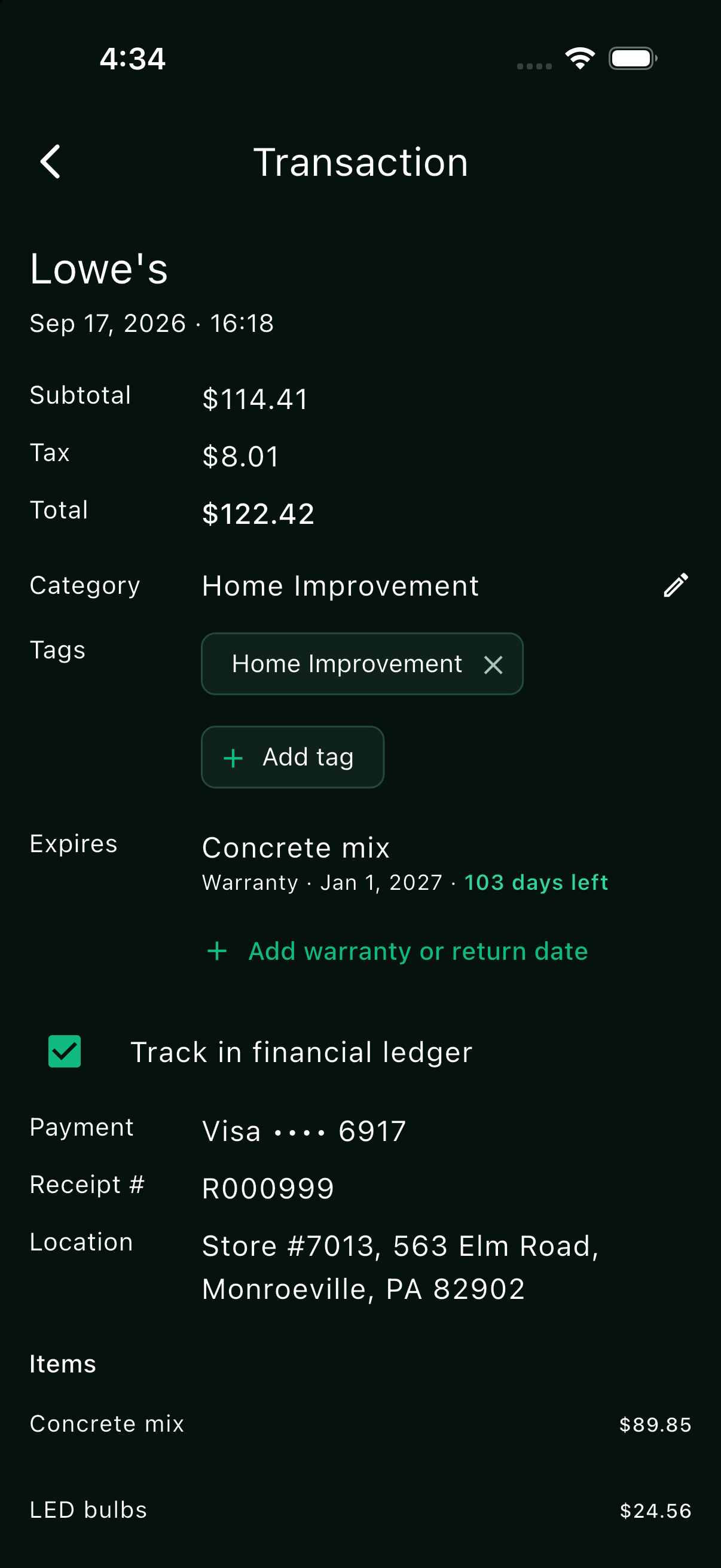
Vosiro reads the store and its address, date and time, subtotal, tax, total, payment card, receipt number and each item, with Apple's on-device text recognition. Nothing is sent anywhere to be read.
See what was read next to the original receipt. Anything uncertain is marked "Please verify", and you can fix any field before saving.
"AABBCC STORE #1234" and "AABBCC SUPERCENTER" both become AABBCC Store, with a category suggested. Pick stores from a list as you type, and rename or merge them anytime.
The untouched receipt image is saved first, before anything is read, and is never changed. Editing an entry never touches it.
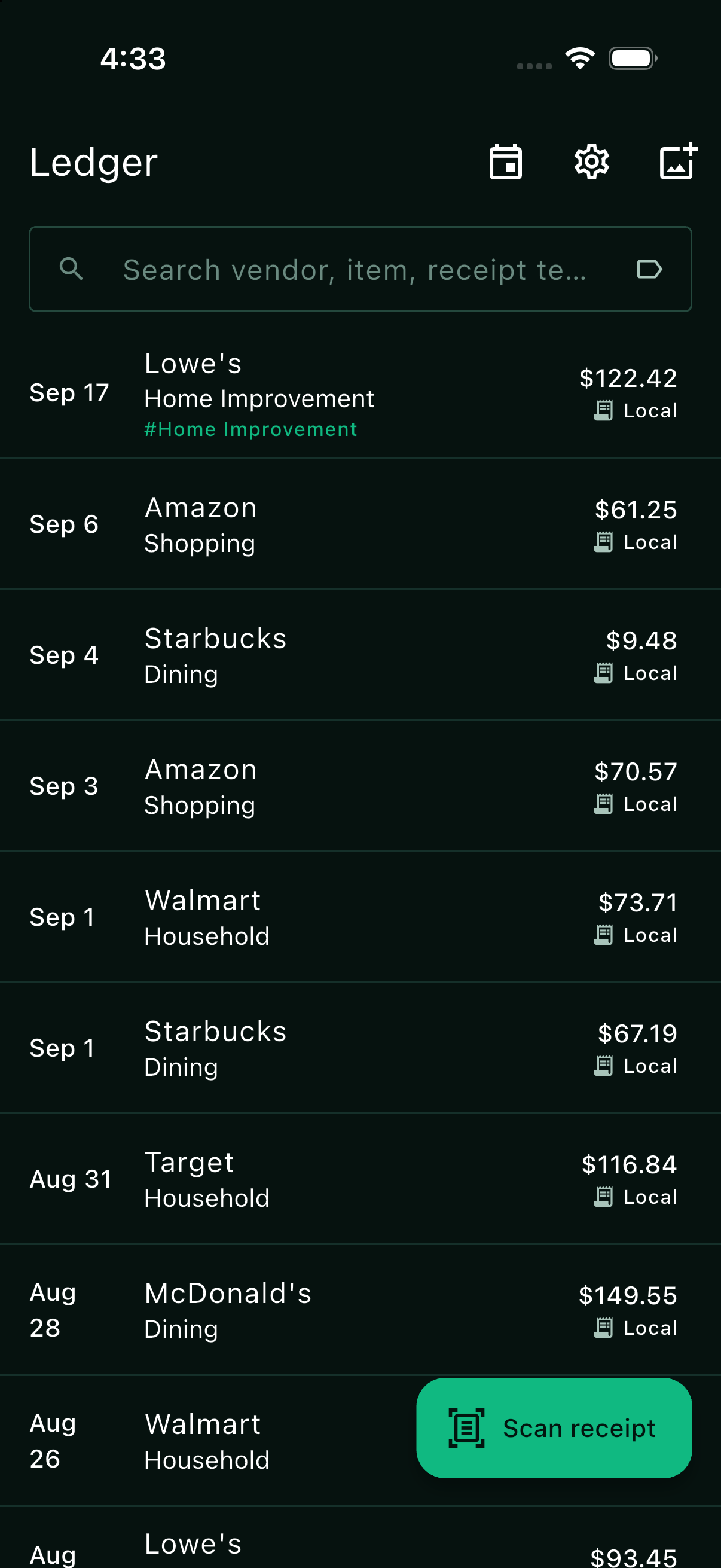
Every purchase in one list, grouped by month, with categories, tags and notes. Keep a receipt without counting it in your spending if you like.
Search by store, item, receipt number, serial number, tag or any text on the receipt. Filter by date, tag, store, category, card or amount.
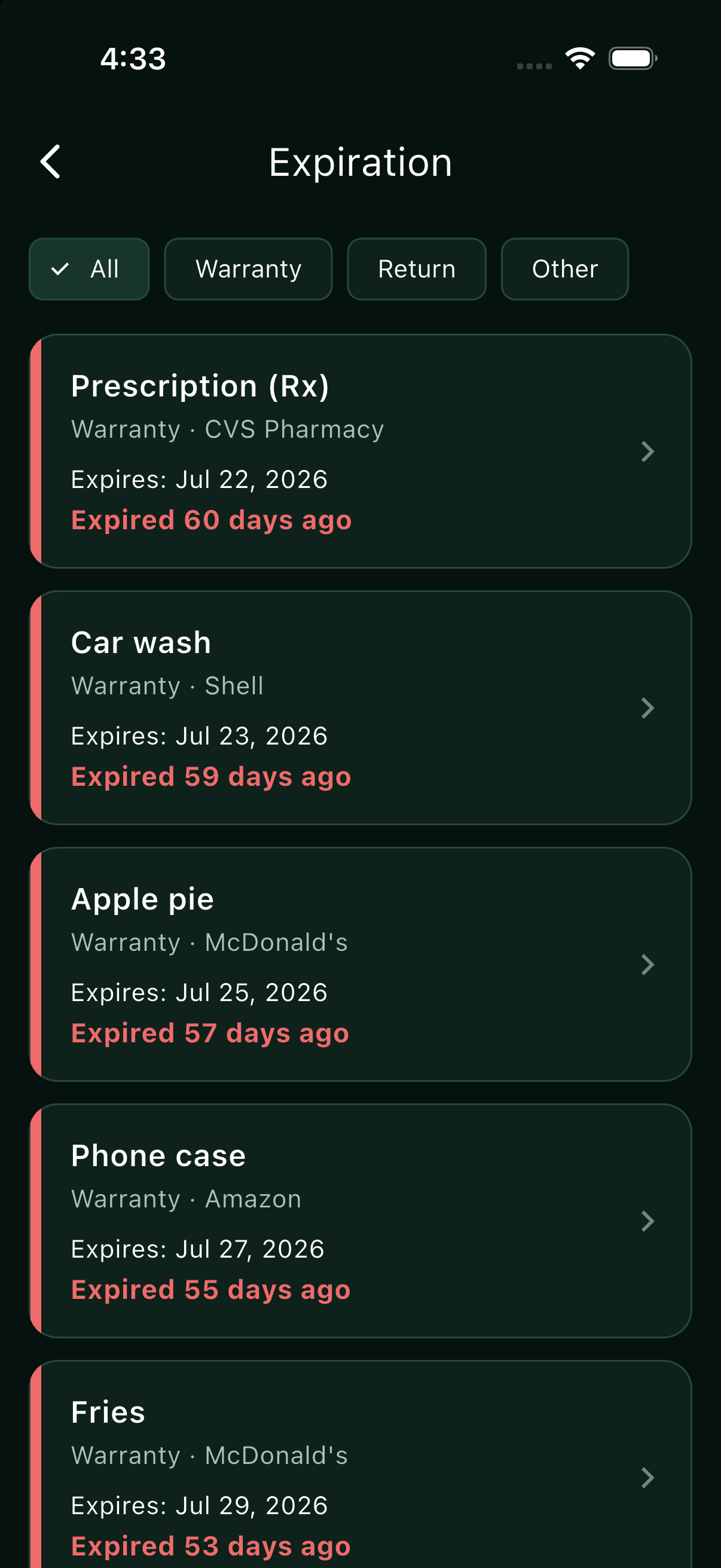
Add a warranty or return date to any purchase, with the model and serial number. Vosiro reminds you before it ends, and makes a proof-of-purchase PDF for a claim.
Scan a return receipt, or mark a purchase as returned without one. Vosiro records the refund, marks the items returned, and shows the net amount you paid.
Scanned the same receipt twice? Vosiro warns you before saving it again, and finds duplicates already saved so you can clean them up.
Spending by year, month, category and store, compared with last year. Tap any number to see the receipts behind it.
Ask in plain words: "What can I still return?" or "How much did I spend at AABBCC Store this year?" Answers come from your own ledger, on your phone.
Make a PDF report or a CSV spreadsheet for a year or everything, and share any receipt, for example for a warranty claim. A PDF report or shared receipt can be locked with a password.
Back up to a folder you choose, such as iCloud Drive. New receipts back up automatically, and you can back up anytime. Everything is encrypted on your iPhone before backup. Add an optional recovery key, a second key, so that opening your backup on another device needs both the passphrase and the key. Check your backup anytime: every copy is read again and compared with the original.
Choose how long original receipts (photos and PDFs) stay on your phone. Older ones live only in your backup and download when you open them. Your searchable ledger always stays.
Your whole searchable history comes back first; the original receipts download one by one as you open them. Large restores keep going while you use Vosiro, show their progress, and pick up where they left off if interrupted.
Your iPhone, iPad and Mac stay in step: new receipts, edits, tags, and warranty and return dates. Sync runs through your own backup folder, encrypted, with no Vosiro account.
Vosiro keeps a backup for each of the last 7 days and one for each week before, at least 5 weeks back. Go back to any of them and all your devices follow. A copy of how things were just before is kept too.
Lock Vosiro with a PIN, a pattern, or Face ID. Receipts are always hidden in the app switcher.
Deleted something by mistake? It stays in Recently Deleted for 30 days, so you can put it back.
Vosiro can use AI on your device for a second reading and to answer your questions. Never in the cloud.
Receipts say a lot about you: where you shop, what you buy, the card you use. Many receipt and expense apps rely on cloud services. Vosiro doesn't need to.
No account, no analytics, no ads. Receipts are read on your iPhone, and scanning, search and reports work in Airplane Mode. Only your encrypted backup leaves your device, to the folder you choose.
Vosiro encrypts your backup before it leaves your iPhone, with your backup passphrase (and recovery key, if you add one). Your cloud provider receives the encrypted files, not your readable receipts.
The original receipt, photo or PDF, is saved exactly as scanned or imported and never altered. It is only removed from your phone after its backup copy has been checked, twice.
Try everything with your first 10 receipts. Go Pro when you want more.
Every feature, including sync, backup and restore, reports, exports, and warranty and return dates. Up to 10 receipts.
Unlimited receipts, on all your Apple devices. Renews yearly until cancelled; cancel anytime.
Reaching 10 receipts never locks anything. You can always view, edit, search, sync, back up, export and delete what you have.
Vosiro Pro renews each year until cancelled; manage or cancel it in your Apple Account. Subscription terms: Terms of Use · Privacy Policy · Apple's standard EULA
Many receipt apps are built for business expenses. Vosiro is built for your household: private, on your iPhone, and it remembers your return and warranty dates.
| Feature | Vosiro | Other receipt apps |
|---|---|---|
| Made for | Households & individuals | Mostly business expenses |
| Return-date reminders | ✓ | Some |
| Warranty reminders | ✓ | Some |
| No account needed | ✓ | Varies |
| Works without internet | ✓ | Varies |
| On-device receipt processing | ✓ | Varies |
| Search by purchased item | ✓ | Some |
| Sync without an accountthrough your own encrypted folder | ✓ | Some |
| Go back to an earlier day | ✓ | Varies |
Compared with popular receipt and expense apps, based on their public information, September 2026. Features and plans change.
Vosiro keeps your receipts, the text read from them, and your ledger on your iPhone. We do not collect them, and there is no account. If you create a backup, it is encrypted on your iPhone before it leaves, and your cloud provider receives only the encrypted files. For complete details, please read our Privacy Policy.
Privacy Policy Terms of UseQuestions about scanning, a backup, a restore, or anything else? See the common questions, or send us a message.
Or email support@vosiro.com